
For certain routine or time-sensitive needs, the SPRCHRGR Verify App allows authorized users to submit pre-approved requests directly through a secure webform in the SPRCHRGR App Portal. This streamlined process bypasses the standard approval workflow entirely—eliminating the need for a SPRCHRGR team member to create the request and wait for client approval before taking action. Instead, your submission is automatically marked as approved and ready for fulfillment the moment you submit it, accelerating turnaround time for urgent matters or recurring requests where approval is already implicit.
This pre-approval capability is especially valuable for established processes where your organization has already authorized specific actions, such as routine vendor payments, standard service renewals, or regularly scheduled changes. Rather than routing these requests through the full approval cycle, you can submit them with confidence knowing that your approval authority is recognized and respected. The system still maintains complete audit trails and documentation—every pre-approved request includes your details, supporting documents, timestamps, and a complete record of who submitted and approved the request—but the workflow is condensed to a single step, saving time for both you and the SPRCHRGR team.
When you submit a pre-approved request, the system immediately notifies the relevant SPRCHRGR team members that the request is approved and ready for action. The request appears in your Approval Requests List under the "Approved" status, and all assigned SPRCHRGR team members can begin fulfillment without delay. You can optionally send email notifications to additional stakeholders or receive a confirmation copy for your records. This combination of speed, transparency, and accountability ensures your business needs are met quickly while maintaining the documentation and oversight that make the Verify App a trusted approval management system.
Pre Approved requests can be created directly through a secure webform available in the SPRCHRGR App Portal. By submitted the requests in this manner the standard approval cycle can be bypassed and will shortcut straight through the process.
- Log into the sprchrgr.app portal as an a user with approval authorization for the Verify App.
- Go to Dashboard → Verify App in the main navigation at the top of the page.
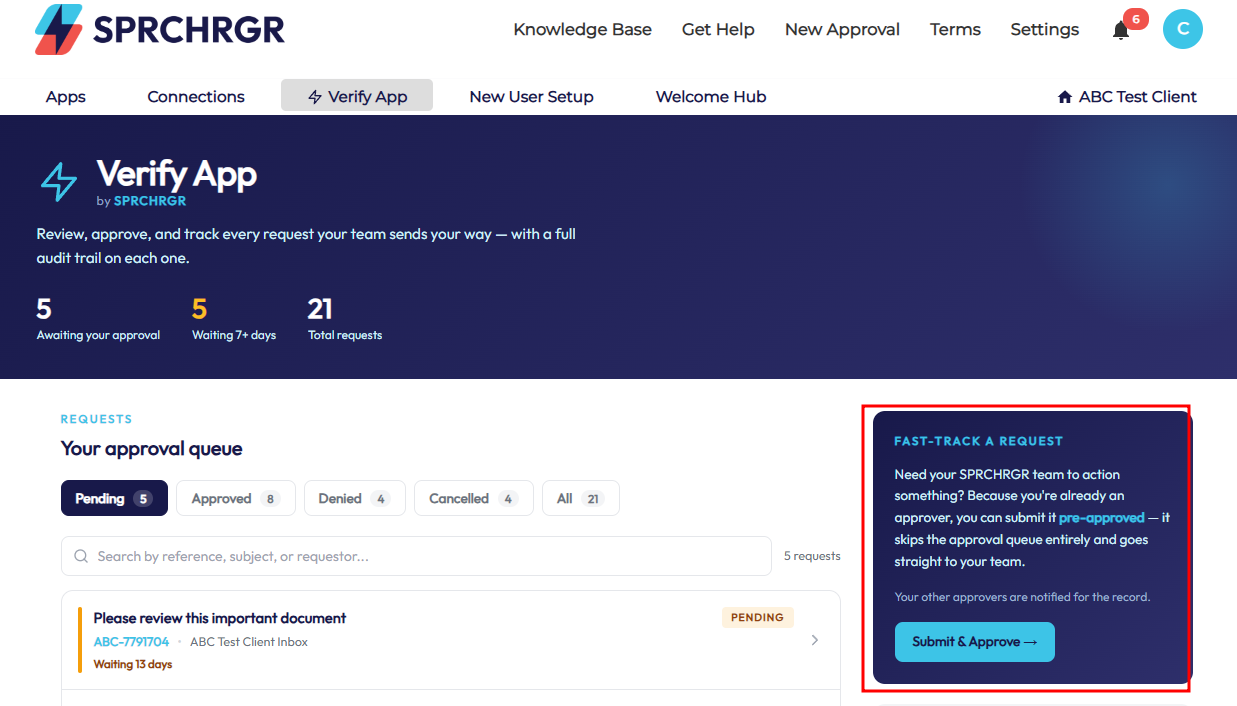
- Click on Submit & Approve
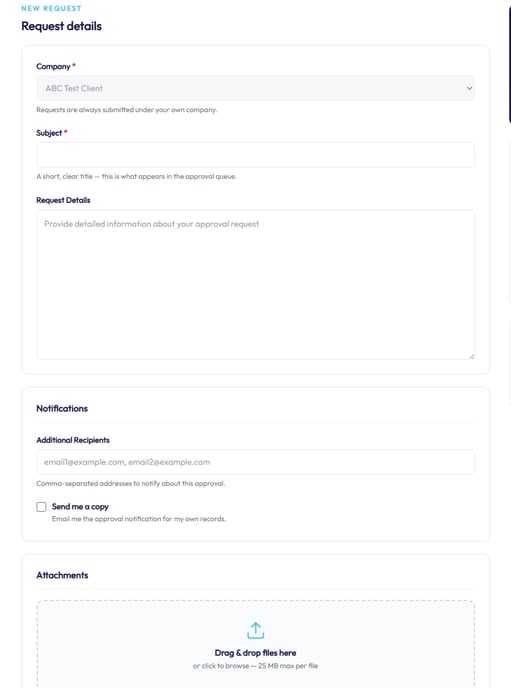
- Fill out the form including the subject, details, an optional comma delimited list of emails to be notified about the request, and decide if you would like a copy emailed to you as well. Drag and drop any relevant files to upload and attach to the request.
- Click on Submit & Approve request
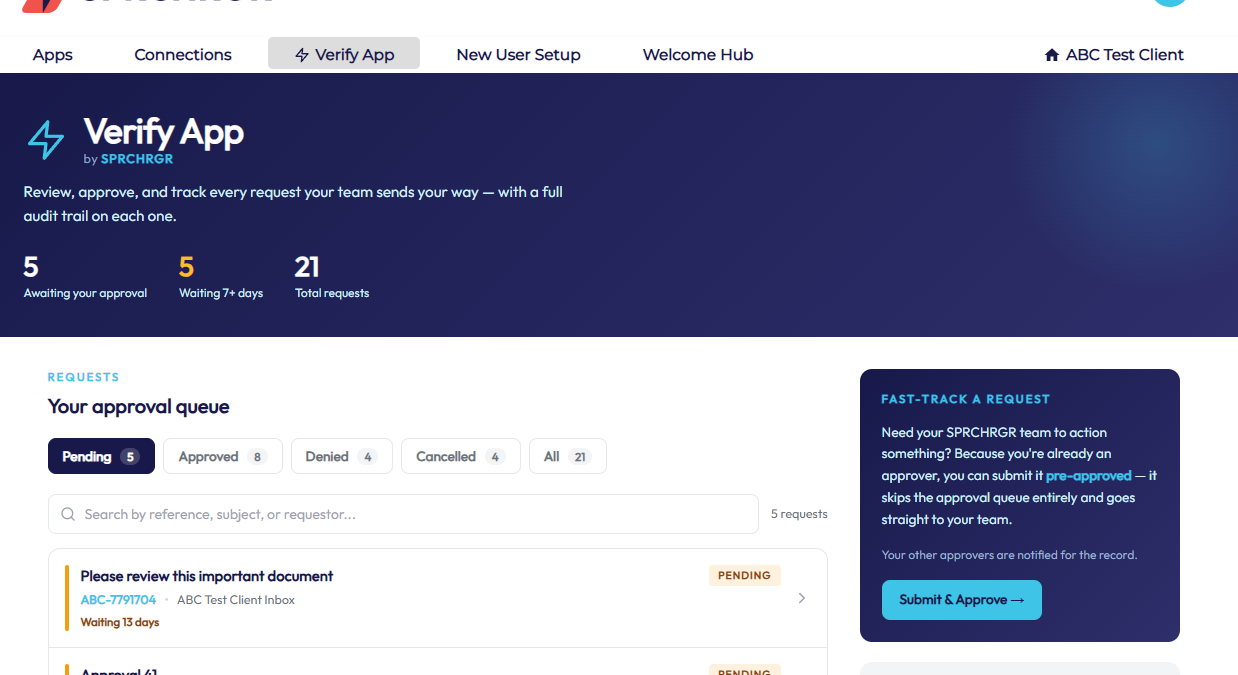
- Your SPRCHRGR team members will be notified that the request is already approved and ready for action. In addition, the request will show up immediately under the list of Approved requests in your Verify App Tab
Questions? Contact Us