
When email notifications aren't enabled or you need a comprehensive view of all your pending and historical approval requests, the SPRCHRGR App portal provides a centralized dashboard where everything is organized and easily accessible. This list view gives you complete control over how you view your approval workload, with filtering options to focus on what matters most—whether that's urgent pending decisions or reviewing past approvals for reference.
The Approval Requests List serves as your command center for managing approval responsibilities. You can filter by status to see only pending items that need your attention, or switch to view approved, denied, or cancelled requests to review historical decisions and outcomes. Each request displays key information at a glance—reference number, subject, requestor, submission date, and current status—so you can quickly prioritize your review. Clicking any reference number opens the full approval request details page where you can review supporting documents, read the complete request context, collaborate through comments, and take action.
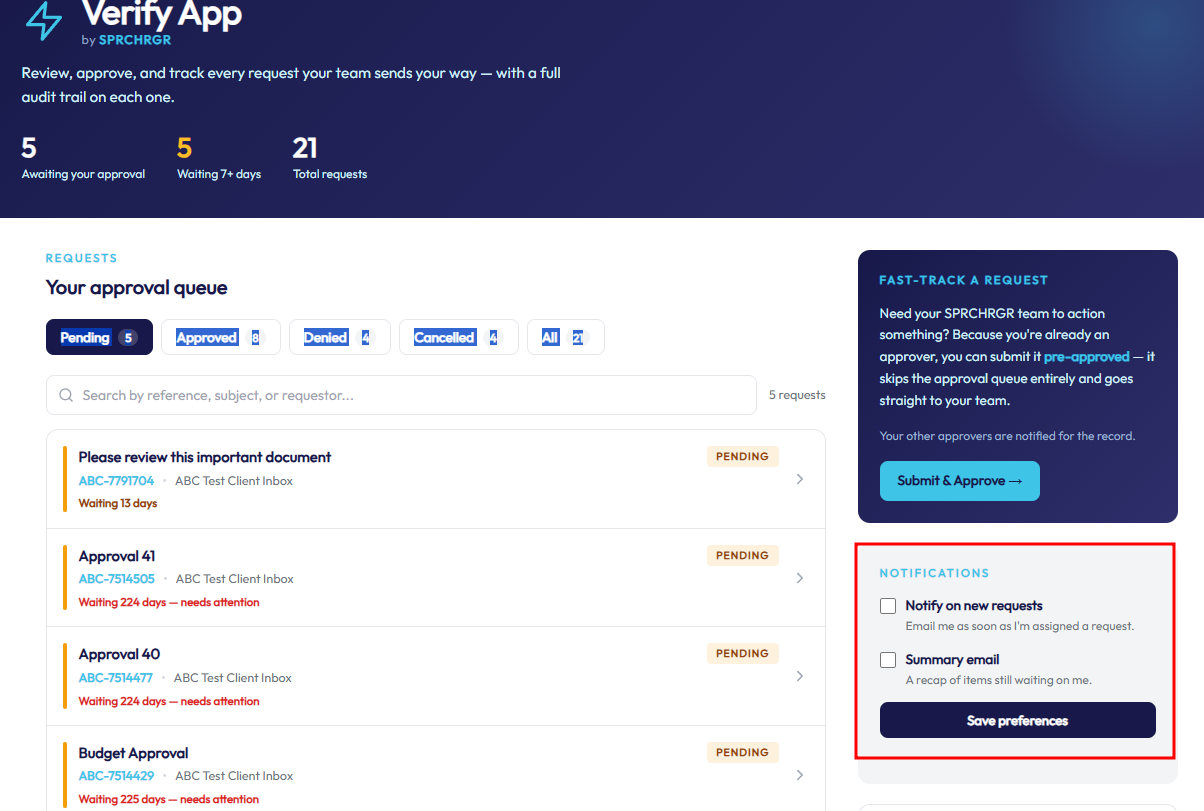
The Notifications bubble located on the Verify App provides quick access to personalize your notification preferences without leaving the page. Use these settings to match the system's behavior to your preferred workflow: enable Notify on New Requests if you want immediate email alerts each time you're assigned to a new approval, or choose Summary Email (daily, weekly, or monthly digest) to consolidate multiple pending approvals into a single periodic email. This flexibility ensures you stay informed without being overwhelmed—whether you prefer real-time alerts or prefer to review approvals in batches on your own schedule. Your notification settings apply only to you and can be updated anytime as your needs change.
If you want to access an approval request but have email notifications turned off, cannot locate the related email, or simply want to access all the requests assigned to you, follow these steps to access the approval requests list in the SPRCHRGR App Portal.
- Log in to https://sprchrgr.app
- Navigate to Dashboard → Verify App
- Pending approvals appear by default. Use the status bubbles to switch between statuses.
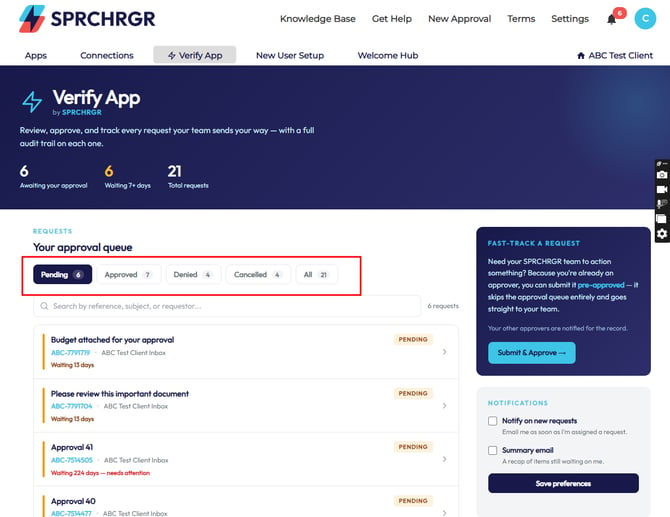
- Click the request you want to review to open its details.
Updating Your Notification Settings
Click on the Verify App Tab, and you'll have the following notification checkboxs:
- Notify on new requests: This will trigger an email notification to be delivered each time a new approval request is submitted to which you have been assigned as an approver.
- Summary email (to-dos): This option will trigger a digest email summarizing approval requests related to you on a periodic basis (Daily, Weekly, Monthly). This is a great option for limiting the number of email notifications that may be sent by the Verify App as multiple requests will arrive in individual digest email.
Questions? Contact Us